Halloween Cybersecurity: 5 Scary Online Scams That Could Haunt Your Business
Cybercriminals know how to disguise a threat. Explore five Halloween scams that can compromise your business and learn how to stay prepared.
Halloween is the season of tricks, treats, costumes, and clever disguises. But there’s another kind of fright lurking in the shadows, one that can haunt your business long after the Halloween decorations come down.
For cybercriminals, seasonal events create the perfect opportunity to exploit attention, curiosity, and urgency. Halloween-themed emails, fake promotions, suspicious invitations, and urgent security alerts can all become convincing vehicles for Halloween cyber scams.
These attacks are particularly effective because they can easily blend into everyday business communication. A message may appear to come from a familiar sender or offer something worth clicking, while quietly directing an employee to a credential-harvesting trap or a dangerous download link.
That’s what makes Halloween phishing scams more than a seasonal nuisance. One compromised account can give an attacker a foothold that leads to far more serious consequences.
And those consequences can linger far beyond the initial click. Forbes reports that organizations take an average of 241 days to identify and contain a breach. That’s a long time for a single incident to keep causing damage.
At ER Tech Pros, we know that the first signs of an attack aren't always obvious. Recognizing how attackers build trust and create urgency is key to staying ahead of them.
October is also Cybersecurity Awareness Month, so Halloween is a timely reminder that some of the most serious attacks can start with something that looks completely routine.
So, what makes these seasonal scams so convincing, and why are they still so effective?
This Halloween, Give Cybercriminals Something to Fear
Why Halloween Makes a Convincing Cover
The real advantage of a Halloween-themed scam isn't the costume. It's the cover story.
Seasonal activity gives attackers legitimate-looking details to work with. Attackers can adapt an invitation, promotion, delivery update, or event-related request into something malicious without it immediately seeming out of place.
That makes context a powerful tool for hacking. When a fraudulent request fits naturally into what employees expect, it's more likely to slip through unnoticed.
The takeaway? Don't judge a message by its theme. Look at whether the request itself makes sense.
The Halloween Scams That Can Follow You Home
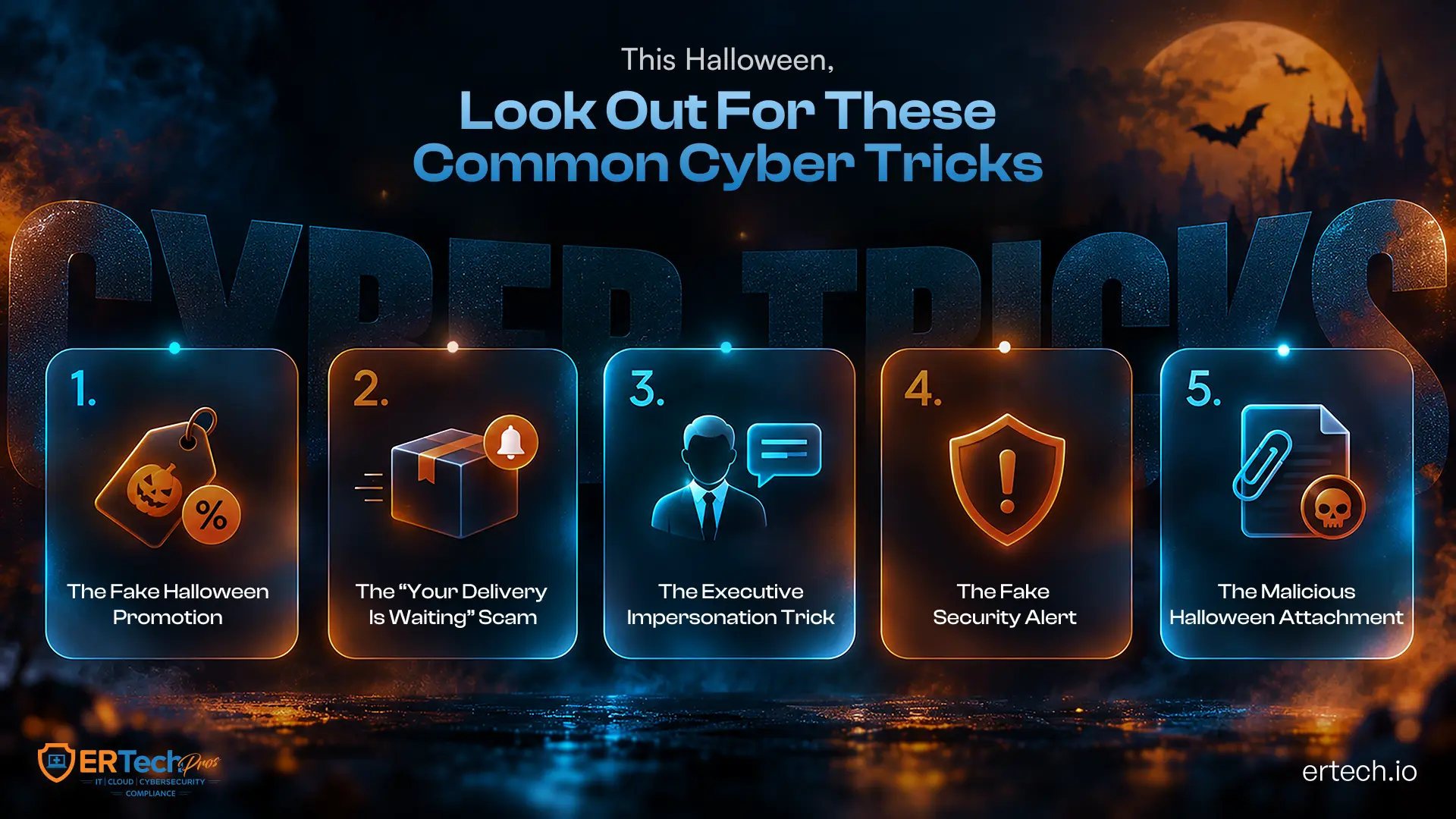
The most convincing Halloween scams don't all rely on the same trick. Some target credentials, others exploit payments, impersonate decision-makers, or use malicious files to establish a foothold. Here are five worth watching:
1. The Fake Halloween Promotion
Halloween promotions are easy bait because people are already expecting seasonal discounts, giveaways, and limited-time offers. An attacker can recreate a legitimate brand's promotion and direct employees to a lookalike website designed to capture information.
These websites may use domains that closely resemble legitimate ones, copied branding, fake login screens, and convincing page layouts. An employee may believe they're entering information to claim an offer, but they're actually handing over credentials or payment details to an attacker.
Attackers can then test stolen credentials against business applications, especially when employees reuse passwords across multiple accounts. A successful compromise can give an attacker access to email, cloud applications, or other resources connected to the account.
2. The “Your Delivery Is Waiting” Scam
Halloween parties, office events, and seasonal purchases create plenty of legitimate delivery activity. That gives attackers a believable reason to send a notification claiming a package is delayed, an address needs updating, or a small delivery fee is outstanding.
The notification may direct the recipient to a fraudulent tracking page or prompt them to download a document. Depending on the campaign, the goal could be to steal credentials or install malware.
For example, an infostealer can search an infected device for browser credentials, session cookies, saved passwords, and other valuable information. Attackers can use that information to compromise additional accounts or support a larger intrusion.
3. The Executive Impersonation Trick
Not every Halloween scam needs a malicious link or attachment. Some attacks target the way employees handle financial and business requests.
An attacker may impersonate an executive, finance leader, or department head and request an urgent wire transfer, gift card purchase, payment to a new account, or sensitive document. They may use a spoofed email address, a compromised mailbox, or information gathered from public sources to make the request sound legitimate.
Technical controls protecting an inbox may work as intended because the attacker exploits trust rather than software. The request can arrive through a legitimate account and still be fraudulent.
That is why financial requests involving new payment details or unusual urgency should include an independent verification step before anyone acts.
4. The Fake Security Alert
A message warning that an employee's account has been compromised uses a different psychological trigger: fear.
The attacker may claim that a Microsoft 365 account, VPN, banking profile, or other service requires immediate verification. The recipient is then directed to a fake security portal or given a phone number to contact “support.”
That second stage can become vishing, with the attacker posing as an IT or security professional. They may ask for credentials, MFA codes, or information about the organization's systems while appearing to help resolve the supposed security issue.
Because the victim believes they are responding to a security incident, they may provide information they would normally protect.
5. The Malicious Halloween Attachment
A Halloween invitation, event schedule, promotional document, or themed graphic can give a malicious file a credible reason to arrive in an employee's inbox.
The attachment might contain macros or embedded scripts, exploit an unpatched application, or connect to an external server to retrieve a malicious payload. The initial objective could be to install malware, steal credentials, or establish persistence on the endpoint.
If the compromised device has access to shared drives, administrative tools, or other internal systems, the attacker may use it as a starting point for lateral movement.
From there, the intrusion can escalate into credential theft, data exfiltration, privilege escalation, or ransomware deployment. What appeared to be an ordinary Halloween document can therefore become the first stage of a much broader attack.
The seasonal theme may change, but the underlying techniques remain familiar, and increasingly difficult to spot at a glance.
How Businesses Can Keep Halloween Scams From Becoming Real Incidents
The strongest defense isn't expecting employees to recognize every new scam. It's building enough layers around them that one mistake doesn't automatically become a compromise.
Make Verification Part of the Workflow
Requests involving payments, password changes, MFA codes, sensitive documents, or new banking information should require independent verification. A second channel, such as a phone call to a known number, can stop an impersonation attempt before it becomes a financial loss.
Limit What One Compromised Account Can Reach
Strong access control reduces the damage an attacker can cause after obtaining a legitimate account. Apply least-privilege permissions, enforce MFA, and regularly review privileged accounts and inactive credentials.
Monitor for the Signs Employees Can't See
Endpoint detection, email security, identity monitoring, and network security controls can detect suspicious activity employees may not see. Unusual login locations, abnormal authentication patterns, unexpected processes, and connections to known malicious infrastructure can all provide valuable signals.
Have a Response Plan Before You Need One
When someone opens a suspicious attachment or submits credentials to a fraudulent site, hesitation can give an attacker more time. Teams should know who owns the response, how to isolate compromised accounts, and how to preserve evidence.
A documented cybersecurity incident response checklist gives IT and security teams a defined path for triage, containment, investigation, and recovery.
Good IT security isn't about eliminating every human mistake. It's about limiting what happens when one occurs.
ER Tech Pros Knows When the Disguise Hides a Real Threat
A convincing Halloween scam can look harmless at first glance. But behind a familiar sender, urgent request, or seasonal promotion could be a compromised account, a malicious file, or an attempt to access your environment.
ER Tech Pros looks beyond the disguise with cybersecurity services designed to help businesses identify suspicious activity, investigate potential compromises, and respond before a seemingly routine event becomes a serious incident.
Our approach includes:
- 24/7 Security Monitoring: Continuous monitoring helps identify unusual authentication activity, suspicious endpoint behavior, and other indicators that may signal an active threat.
- AI-Powered Threat Detection: Behavioral analysis helps surface abnormal activity that may not match known threat signatures.
- Endpoint Detection and Response: Endpoint visibility allows security teams to trace processes, connections, and other activity to investigate and contain potential compromises.
- Identity and Access Control: Monitoring authentication activity and enforcing appropriate access controls can help limit the impact of compromised credentials.
- Vulnerability Assessment: Identifying outdated systems, exposed services, and exploitable weaknesses helps address potential entry points before attackers can use them.
- Incident Response Support: When an alert requires action, ER Tech Pros can support triage, investigation, containment, and recovery so your team knows what happened and what to do next.
The goal isn't simply to spot the Halloween disguise. It's to recognize what may be hiding underneath and respond before a suspicious click, message, or attachment becomes a serious data breach.
The best time to understand a threat is before the scare becomes real.
Don’t Let a Halloween Trick Become a Business Nightmare
Halloween scams may only show up for a season, but their techniques can put your business at risk at any time. A fake promotion, urgent message, or familiar-looking attachment can be enough to start a much larger security incident.
The answer isn't asking employees to be suspicious of every email they receive. It’s creating an environment where suspicious activity can be identified quickly, access is properly controlled, and your team knows how to respond when something goes wrong.
Good network security means looking beyond the surface. With the right monitoring, controls, employee awareness, and response capabilities, your business can enjoy the tricks and treats without letting a digital scare become a lasting problem.
Don't wait for the disguise to come off. Make sure your business can recognize what’s underneath.
Is Your Business Ready to See Beyond the Disguise?
Don't wait for a Halloween trick to become a real security incident. ER Tech Pros can help you identify risks and strengthen your readiness.
Got Questions?
We've Got Answers
Find clear answers to common questions that help guide your IT operations.
Related Content
How to Build a Cybersecurity Incident Response Plan for Your Business

IT Disaster Recovery Plan for Small Businesses: A Complete Guide